












AI Fruit Love Island Video Generator: How to Make Your Own Fruit Drama
The short version: “Fruit Love Island” — a reality dating show where every contestant is a piece of fruit — became one of the biggest AI series on TikTok this year, and people are still searching for how to make their own. You can make an episode-style clip in two steps: generate your fruit cast in the villa, then animate the scene with dialogue. Below is exactly how we made the one in this post.
The clip we made for this guide: one generated still, one image-to-video pass, 8 seconds, with an audio track generated by the video model. Tap to unmute. The characters are our own; this isn’t affiliated with the original series’ creator or with Love Island.
What Fruit Love Island is
The original series was reportedly posted by the TikTok account @ai.cinema021 starting in March 2026: animated fruit characters in a villa, coupling up, cheating, and arguing in confessionals. One episode reportedly passed 39 million views, and the account reportedly gained millions of followers (SAYS, The Triangle). The creator wrapped the series in April, but copycat “fruit drama” accounts kept the format going (Queen’s Journal).
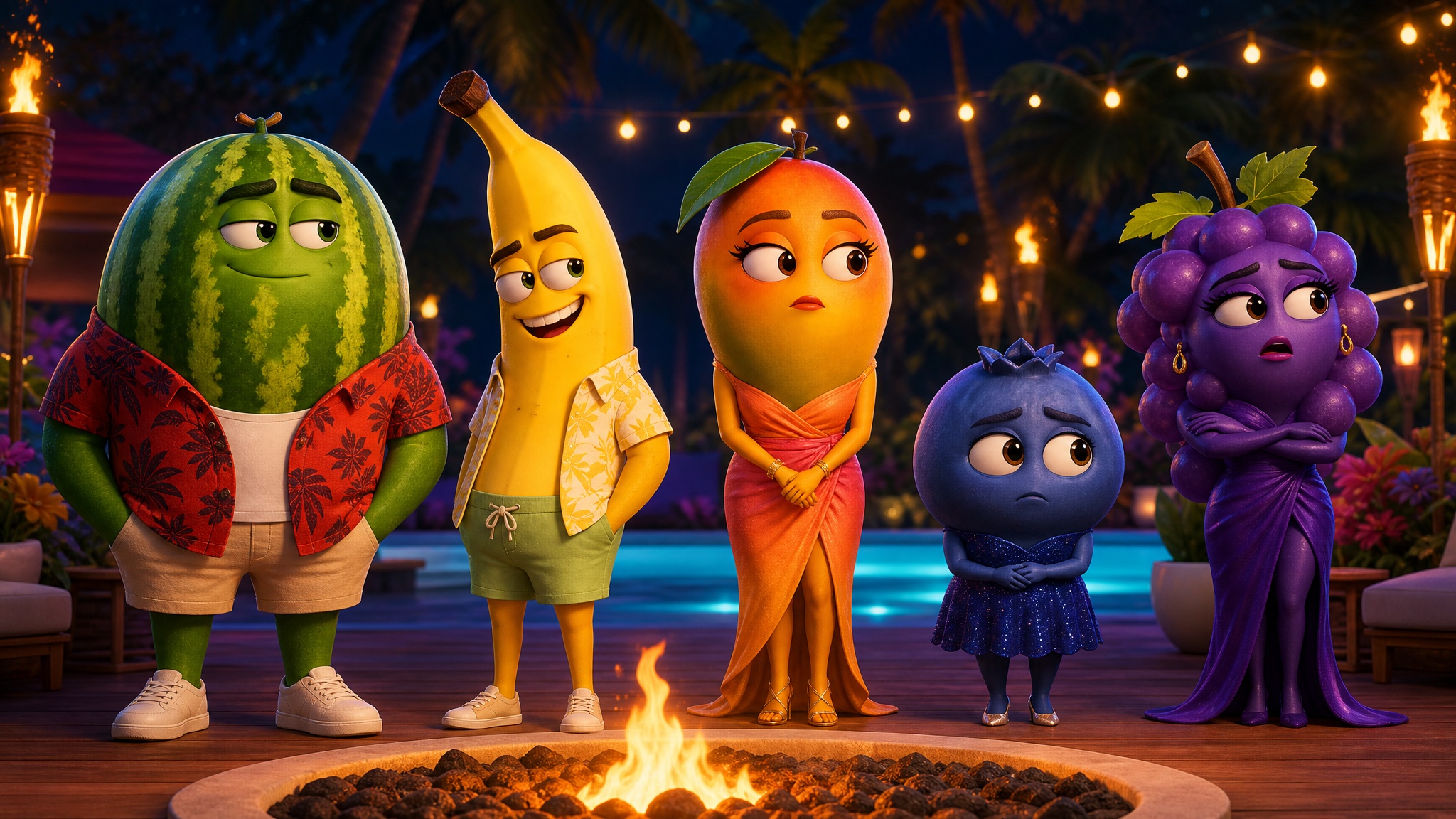
Why it works:
- Cute characters, grown-up drama. Polished animated fruit having petty reality-TV fights is a funny contrast.
- Built-in episodes. Every clip ends on a cliffhanger, so people follow the account for the next one.
- The puns write themselves. “Smoothie” dates, someone “going bananas,” a “peach” of a villain.
- Anyone can make one. No actors, sets or voice cast.
What you need
- An image generator for your cast and villa set.
- An image-to-video model that can generate sound, so the characters can talk.
- Credits: in our run, the 2K still cost 3 credits and the 8-second Seedance Fast clip about 168, so roughly 171 credits for the whole tutorial. The exact price is shown before you generate. Eligible new accounts get 100 free credits, plus up to 200 more for reaching creation milestones — check your account’s balance.
Step 1: Generate your fruit cast in the villa
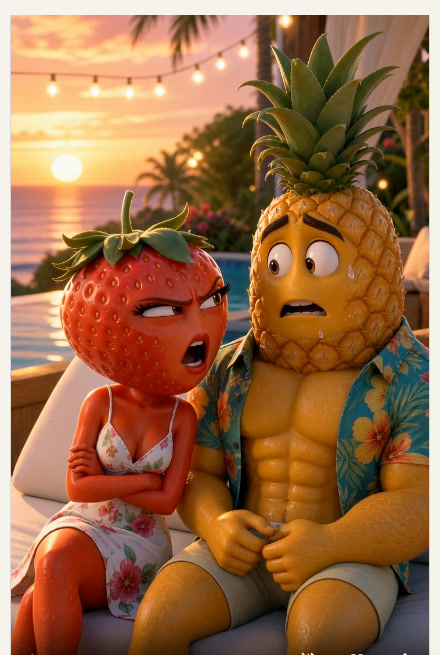
Pick two characters with an obvious conflict — here, a suspicious strawberry and a nervous pineapple. In the FunGen Generator, choose Image, open the settings and pick 9:16, 2K and GPT Image 2, then paste:
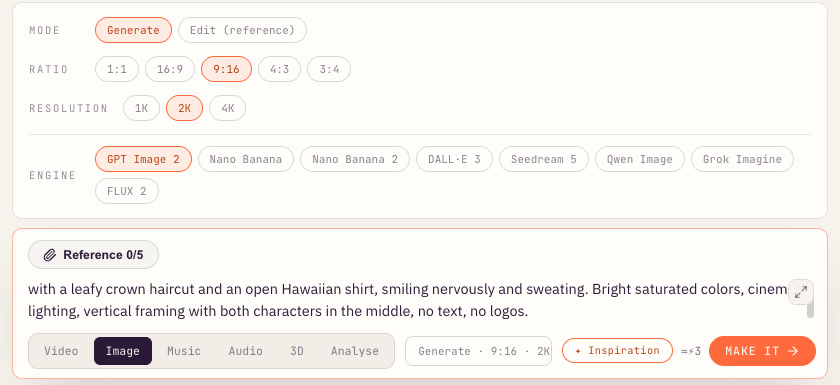
Pixar-style 3D animated still from a reality dating show set in a tropical villa at golden hour. Two anthropomorphic fruit characters sit on a white outdoor daybed beside an infinity pool with string lights: a glamorous strawberry woman with big expressive eyes, long eyelashes and a floral sundress, arms crossed and looking suspicious, and a buff pineapple man with a leafy crown haircut and an open Hawaiian shirt, smiling nervously and sweating. Bright saturated colors, cinematic lighting, vertical framing with both characters in the middle, no text, no logos.
In our test the still took about 20 seconds:
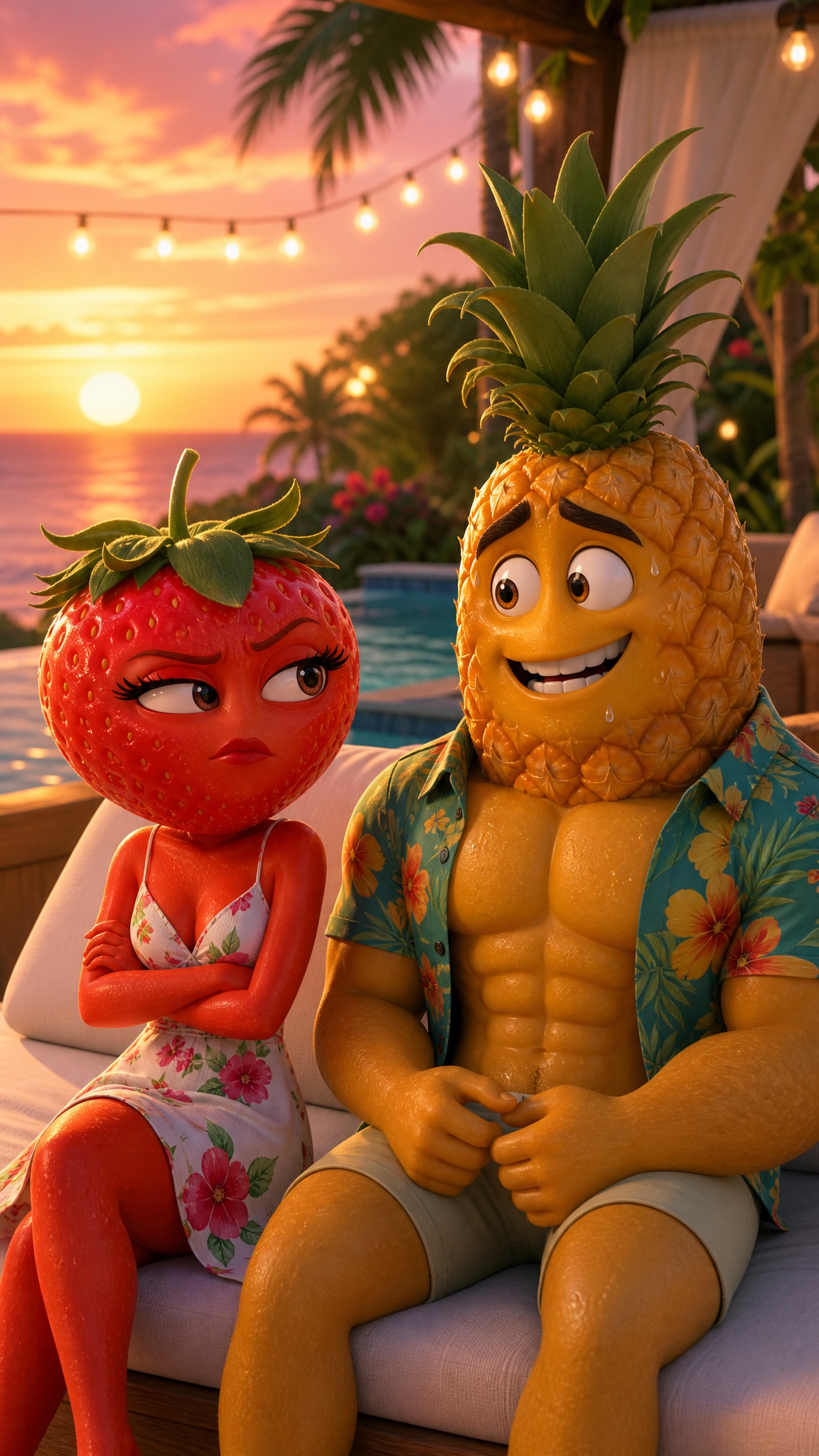
What makes the still work: the emotion is already on their faces before anything moves (arms crossed, sweat drop). Both characters are in the center of a vertical frame, so the model can animate them talking without cropping anyone out.
Step 2: Animate the scene with dialogue
Switch to Video and set:
- Mode: Image to video (first frame)
- Duration: 8s, enough for two short lines and a reaction
- Format: Portrait 9:16
- Engine: Seedance Fast, which in our run generated an audio track along with the video
Attach the still and write the scene like a script: who speaks, what they say, and how they react:
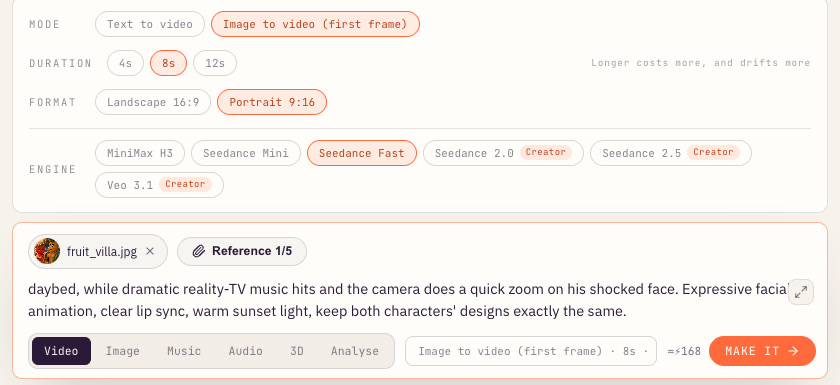
Pixar-style animated reality-show scene with voices. The strawberry woman turns to the pineapple man, narrows her eyes and says in a sassy voice: “You told me you were getting smoothies… with MANGO?” The pineapple man sweats, laughs nervously and stammers: “Babe, it was ONE smoothie!” She gasps, flips her leafy stem like hair and storms off the daybed, while dramatic reality-TV music hits and the camera does a quick zoom on his shocked face. Expressive facial animation, clear lip sync, warm sunset light, keep both characters’ designs exactly the same.
These are the requested lines; we haven’t verified that the generated audio reproduces them exactly.
In our test the clip took under three minutes. She turns on him, he panics, and she storms off. The model treated “flips her leafy stem like hair” literally and gave her a full head of green hair for the exit, which actually landed as a gag:
Tips for better fruit drama
- Keep the dialogue short. Two quick lines fit in 8 seconds. Long speeches get rushed or cut off.
- Write the reaction, not just the words. “Sweats, laughs nervously, stammers” gives the animation something to act.
- Lock the designs. End the prompt with “keep both characters’ designs exactly the same” so nobody changes fruit mid-scene.
- Reuse the same stills. For a series, generate each character once and start every episode from the same images so the cast stays recognizable.
- Expect surprises. Treat the first output as a draft. Sometimes a happy accident (like our strawberry’s hair flip) is better than what you wrote.
Episode ideas
- The confessional: one fruit alone in an interview chair, talking straight to camera about the others.
- Recoupling night: the whole cast at the fire pit; one contestant picks someone unexpected.
- The new arrival: a glamorous new fruit walks into the villa and every head turns.
- The text: someone gets a text on the villa phone, reads it out, and gasps.
Posting tips
- Hook with the line, not the setup. Trim so the first words of the argument start within the first second.
- Number your episodes. “Episode 1, 2, 3” in the caption tells viewers there’s more coming.
- Use your own characters and names. Don’t copy another creator’s cast. Original fruit with their own personalities is what makes people follow you.
- Label it as AI using each platform’s AI-generated label, and check each platform’s own rules.
More AI trends to try
The same “still first, then animate” recipe works for other viral formats: try the AI flying Tesla Roadster video, the AI baby dance video, or a spooky AI Halloween porch-cam clip.
Ready to cast your villa? Open the FunGen Generator, generate two fruit characters, and animate their first fight with the prompts above.