












Photo to Video AI
Bring a still image to life
Upload one photo, describe the motion, and FunGen turns it into a short 4 or 8 second video clip. You see an estimate of the credit cost before you generate.
One simple action works best. The motion follows your description but isn't followed exactly.
MiniMax H3 · 720p pricing tier · 11 credits per second. If MiniMax H3 is temporarily unavailable, FunGen may switch to a backup model, and the final charge can differ from this estimate.
Made on this page
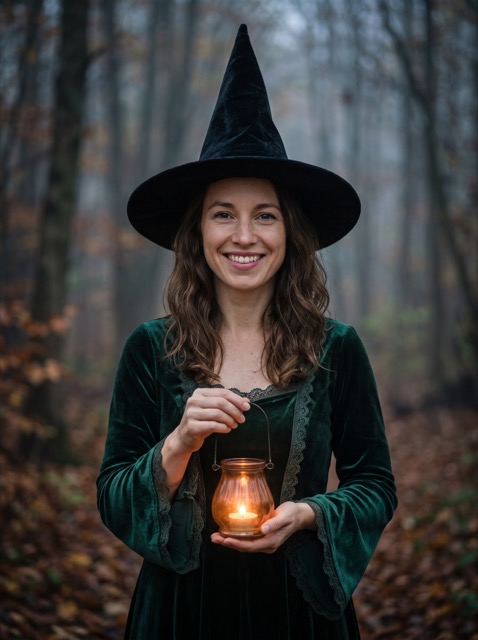
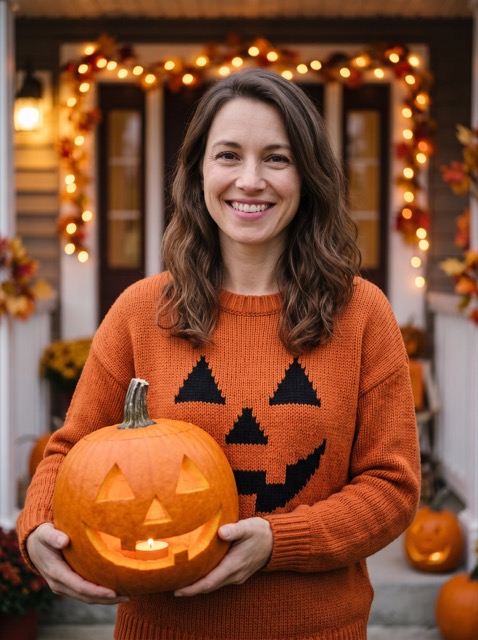
Both photos are AI-generated; they don't show real people. Each clip was the first attempt with that photo and description, made on 27 October 2026 with this page's tool on our test server and the live MiniMax H3 provider, and not edited afterwards. Both came out at 768 × 1024; output size can vary with the model and the photo. The model added the sound on its own in these runs; a clip may or may not have sound. The times are from these two runs, not a guarantee, and results vary from run to run.
Three steps
Upload a photo
A portrait, a pet, a product shot, a landscape or an illustration.
Describe the motion
One simple action and an optional camera move, in plain words.
Generate
Pick 4 or 8 seconds, check the estimated credit cost, and generate. Download the MP4 when it's ready.
What people animate
Questions about photo to video AI
What does photo to video AI do?
It animates a single still image. You upload a photo and describe the motion you want, for example "she turns her head and smiles" or "waves crash against the rocks", and the AI generates a short video that starts from your photo.
How many credits does it cost?
This page uses the MiniMax H3 model at the 720p pricing tier: 11 credits per second, so a 4-second clip is 44 credits and an 8-second clip is 88. The estimate is shown before you generate; if the model is temporarily unavailable and a backup model is used, the final charge can differ. New accounts usually get free credits to start, subject to the current sign-up limits.
What photos work best?
A clear, well-lit image with one main subject. Portraits, pets, products, landscapes and illustrations all work. The motion follows your description, but it isn't followed exactly, and faces or small details can change during the clip.
How do I write the motion description?
Describe one simple action and, if you like, a camera move: "slowly smiles and looks at the camera, gentle push-in". One clear action works better than a list of many.
Will the video keep my photo's shape?
The clip is generated in portrait or landscape based on your photo's shape, but the exact framing can differ from the original, so check the result before you use it.
Can I choose a different model?
Not on this page yet. For other video models, longer clips or text-to-video, use the Generator.
Only animate photos you have the rights to, and get consent before animating photos of real people. The result is AI-generated: label it as such where the platform asks you to.