












Motion Control AI
Copy any move onto your photo
Upload a photo of a person and a 3–10 second video of the movement you want. FunGen makes the person in your photo perform that motion.
Kling 2.6 motion control. Billed per second of the result, up to the estimate. Standard has been tested on this page; Pro is the provider's higher-quality mode.
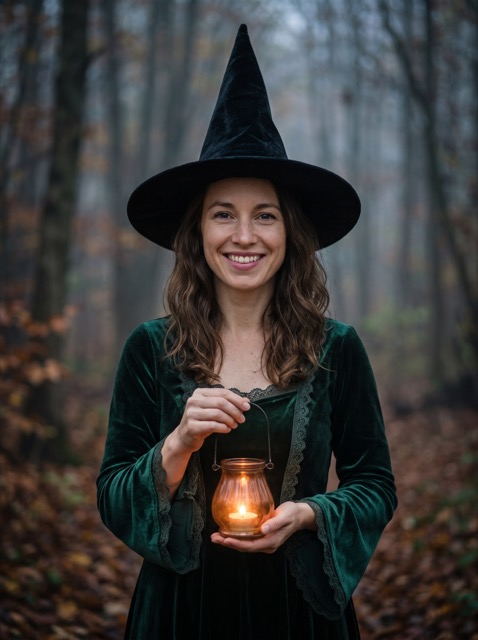
One photo, one motion clip
The photo and the motion clip are AI-generated and don't show real people. This was the first attempt, made on 31 October 2026 with the Kling 2.6 motion control model in Standard mode. It took about 5 minutes and came out at 816 × 1104, following the photo's shape. The motion clip had no sound, so neither does the result. The result video is compressed for this page. Results vary from run to run.
Three steps
Upload a photo
One person, with the head, shoulders and body clearly visible.
Add a motion clip
A 3–10 second video of the move: a dance, a wave, a turn or a walk.
Generate
Check the estimate and generate. The person in your photo performs the move. Download the MP4.
What people use it for
Questions about motion control AI
What is motion control AI?
It transfers movement from one video onto the person in a photo. You give it a still image and a short reference clip, such as a dance, a wave or a walk, and the AI generates a new video where your photo's subject performs that motion.
How long can the motion video be?
Between 3 and 10 seconds, MP4 or MOV, up to 100 MB. The result is about as long as the reference clip; in our test a 4-second clip gave a 3.7-second result.
How many credits does it cost?
Standard is 15 credits per second of reference video and Pro is 30, so a 5-second Standard run is 75 credits. You see the estimate before you generate. You're charged for the seconds you get back, up to that estimate, and only when the video is delivered.
What is the difference between Standard and Pro?
Both use the Kling 2.6 motion control model. Pro is the provider's higher-quality mode and takes longer. We have tested Standard on this page; the output size follows your photo's shape (our Standard test came out at 816 × 1104).
What photos and videos work best?
A photo where the person's head, shoulders and body are clearly visible, and a reference clip with one person whose whole movement stays in frame. The result keeps the face, hair and outfit from your photo, but details can change during the motion.
Does it keep the sound?
It may keep the audio from your reference clip, but that isn't guaranteed. You can add music or a voice-over in the FunGen editor.
Only use a photo of yourself or of an adult who has clearly agreed to it. You also need the rights to the motion clip and its audio. Don't use this to impersonate anyone. The result is AI-generated: label it as such where the platform asks you to.