












AI Halloween Costume Generator: Try On 6 Costumes From One Photo
The short version: Upload one clear photo, pick an image model that edits from a reference, and describe the costume plus one line that tells the model to keep the same face. Each costume is one edit. We made the six looks below from a single portrait, at 3 credits per 2K image; each edit took about 25 seconds. The exact prompts are further down; copy one, swap in your own photo, and change the costume words.
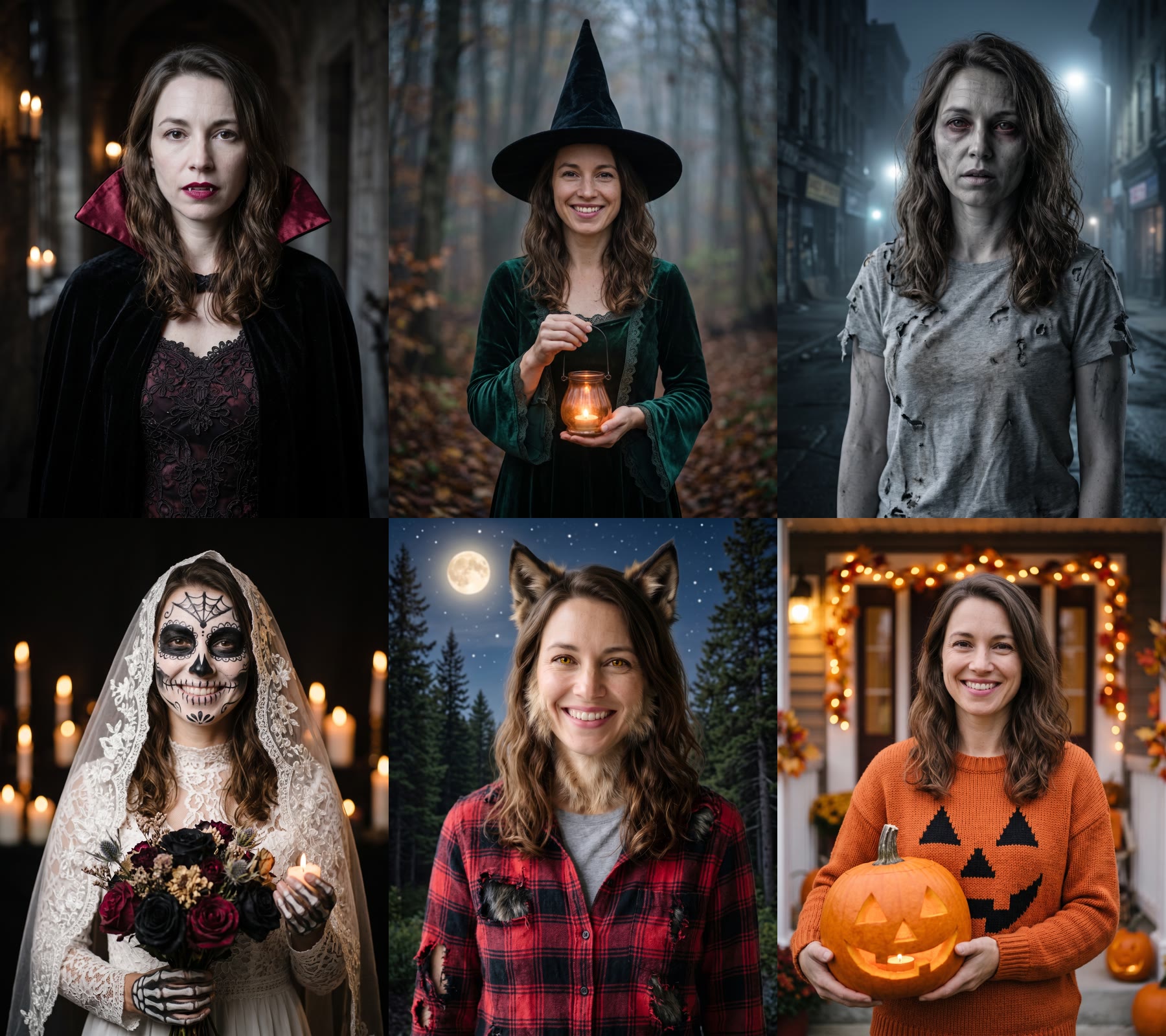
The person in this guide is AI-generated, not a real model. Every costume below started from the same plain portrait.
What you need
- One photo of an adult. Waist-up or head-and-shoulders, face clearly visible, even light, one person. A plain background is easiest, because the model replaces it with the costume scene anyway.
- An image editor that takes a reference photo. We used Nano Banana 2 in FunGen’s Generator (Image tab, Edit (reference) mode). It’s available on the free plan.
- Credits: 3 credits per image at 2K (2 at 1K, 5 at 4K). Six successful 2K edits cost 18 credits, excluding the starting portrait and extra attempts. Our full test generated 12 images and used 36 credits. Eligible new accounts get 100 free credits.
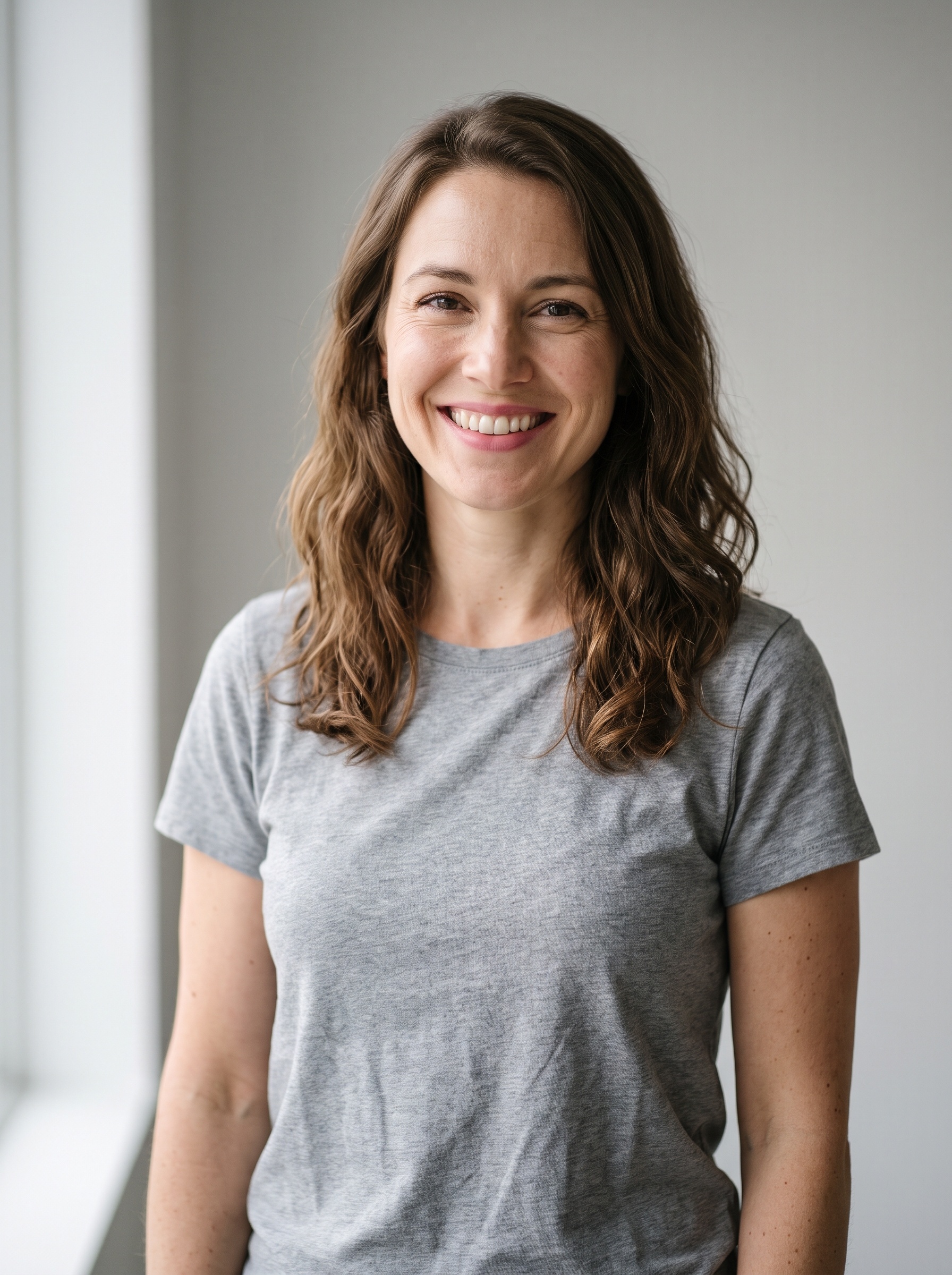
We started from this portrait:
Step 1: Set up the edit
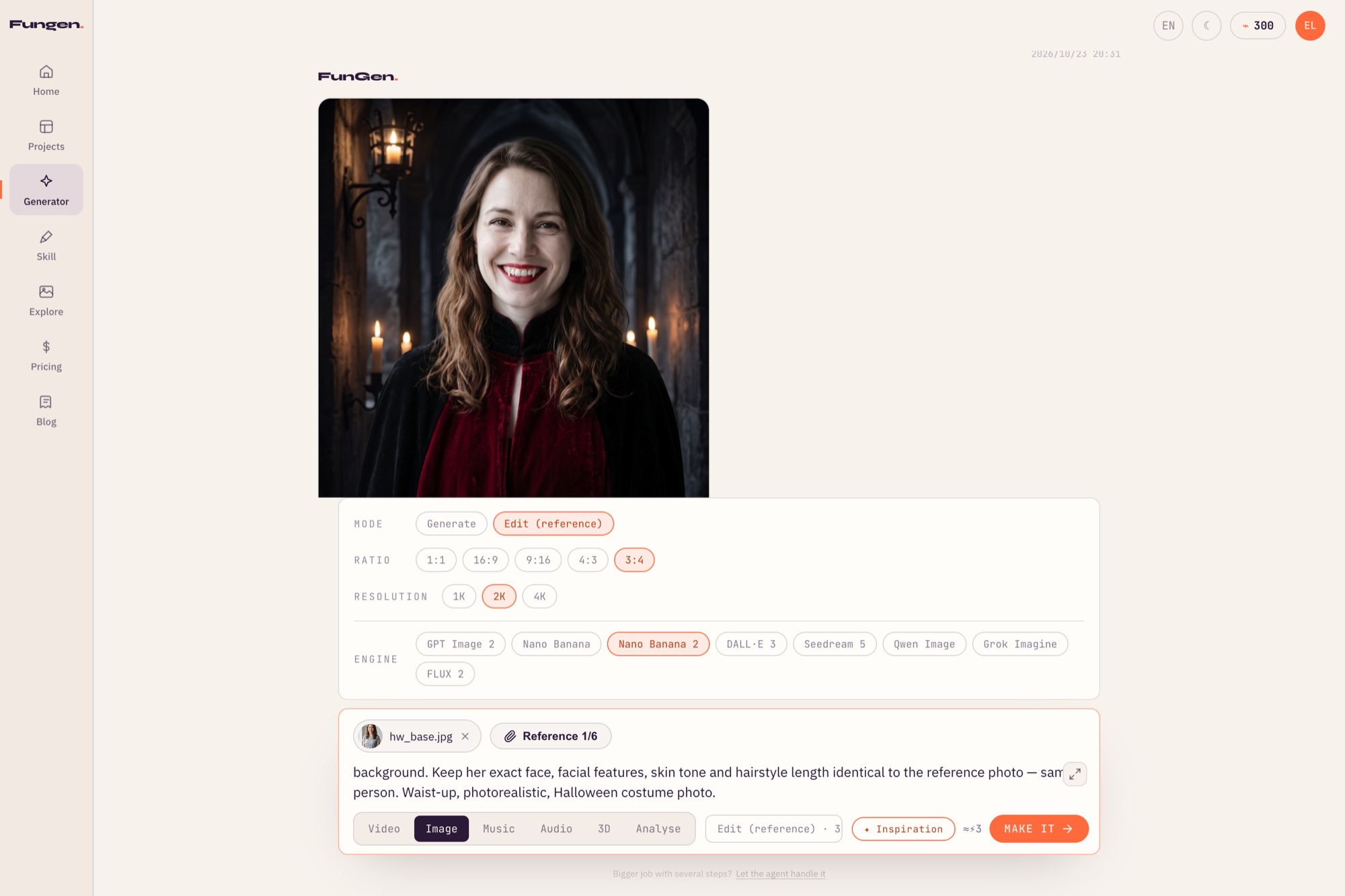
Open the Generator, choose Image, then:
- Mode: Edit (reference)
- Ratio: 3:4 (portrait; good for phone screens and Instagram)
- Resolution: 2K
- Engine: Nano Banana 2
- Reference: upload your photo
Step 2: Write the costume prompt
Every prompt has two parts: the costume and scene, then the same “keep her face” line. The second part asks the model to keep the same person.
The line we added to every prompt:
Keep her exact face, facial features, skin tone and hairstyle length identical to the reference photo — same person. Waist-up, photorealistic, Halloween costume photo.
Change her to his or their to match your photo.
Step 3: The six costumes and their prompts
Each of these is the costume line we used, followed by the “keep her face” line above. One edit each, no retries unless noted.
Vampire
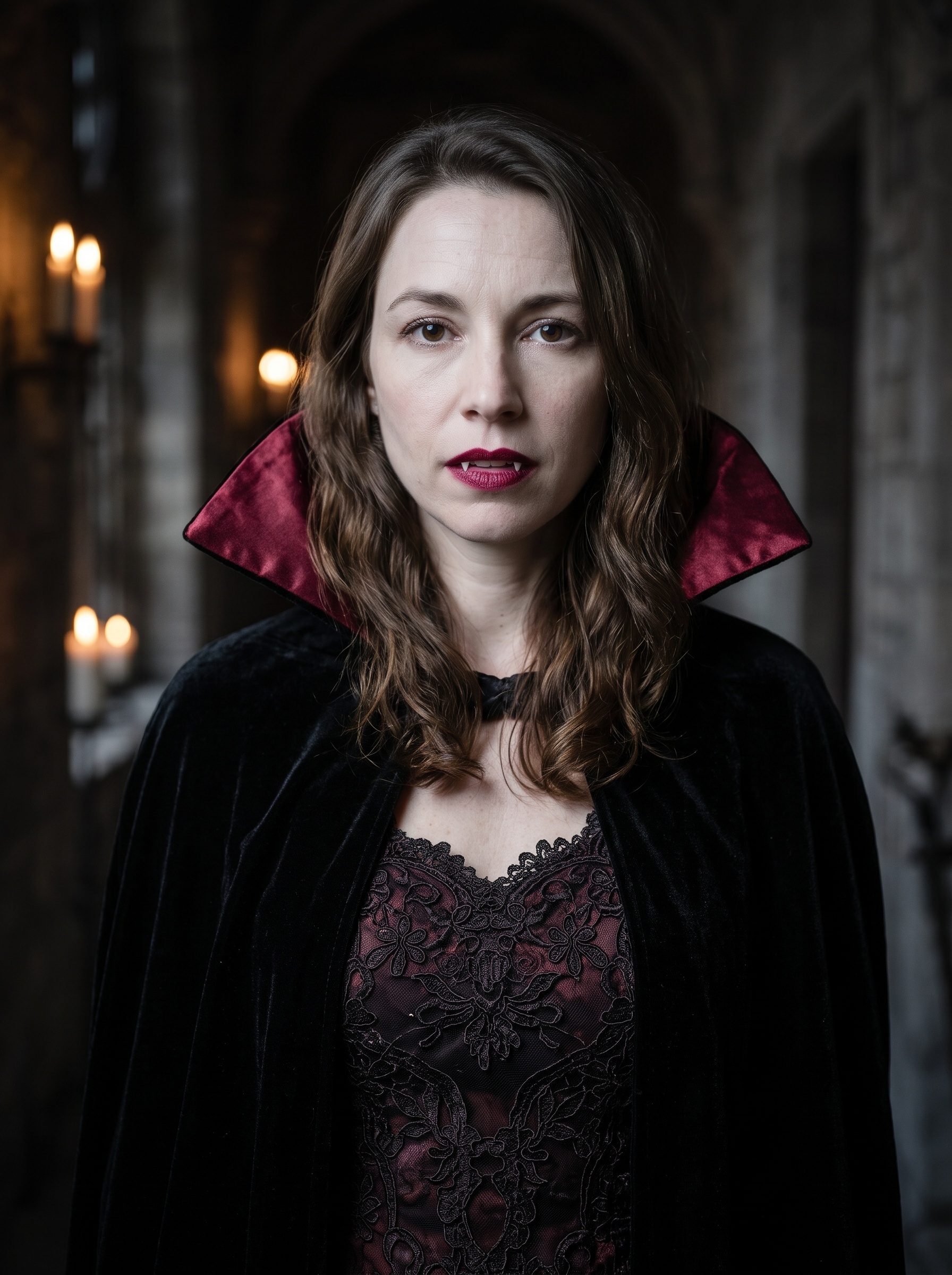
Dress her as an elegant vampire: high-collared black and deep-red Victorian cape, pale skin, dark red lips slightly parted showing two small pointed fangs, cold unsmiling stare straight into the camera, dark gothic candlelit hallway background.
Our first try didn’t ask for an expression, and she kept the big smile from the original photo; it looked like a costume party rather than a vampire. Adding cold unsmiling stare gave the result above. Neither attempt produced visible fangs, so this prompt did not reliably achieve that detail in our test.
Witch
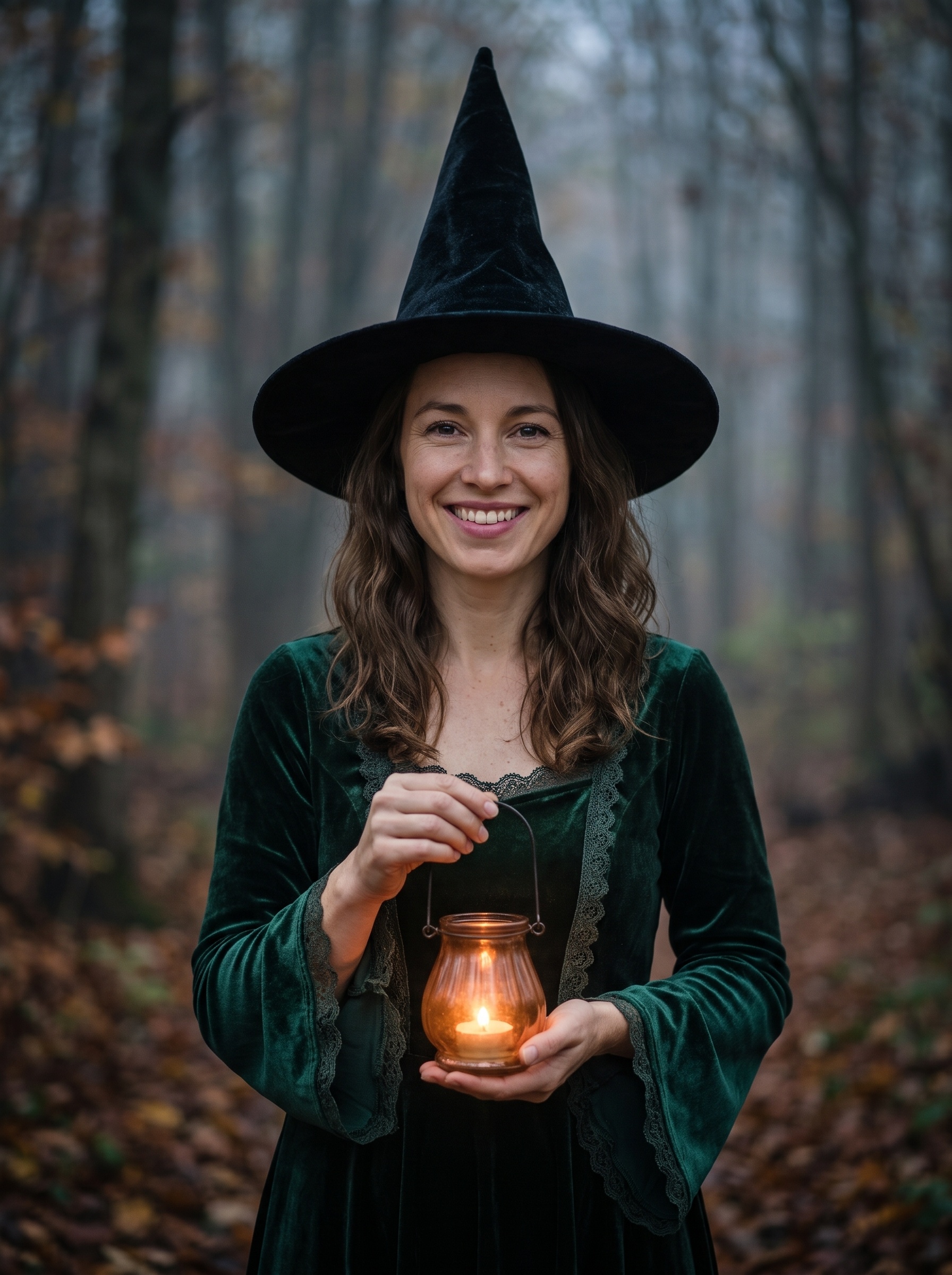
Dress her as a classic witch: tall pointed black hat, dark velvet dress, holding a small glowing lantern, misty autumn forest at dusk background.
The model chose dark green velvet on its own. Name a color if you want a specific one.
Zombie
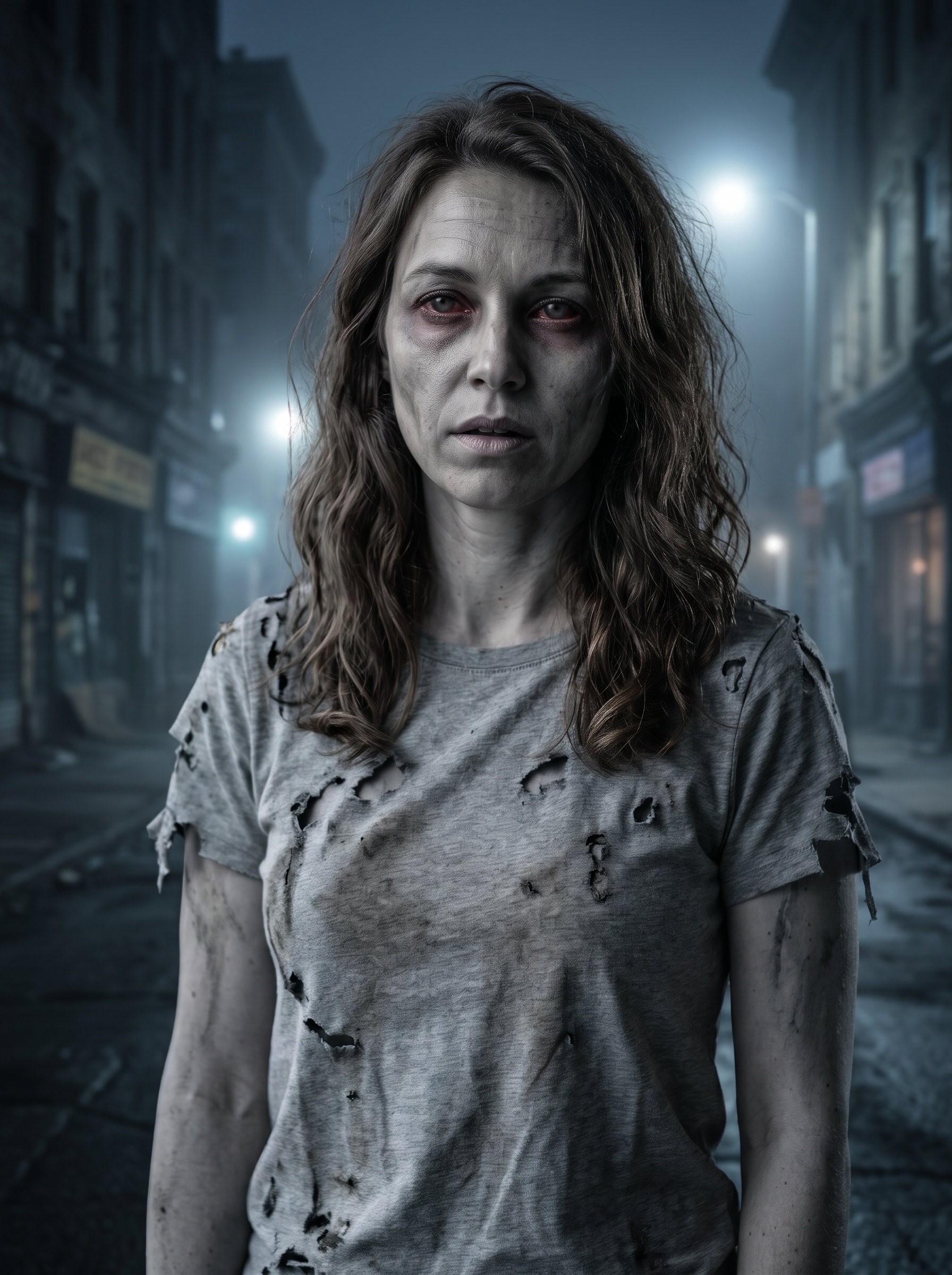
Turn her into a movie-style zombie: greyish skin, dark sunken eyes, blank hungry expression with no smile, mouth slightly open, torn dirty grey t-shirt, messy hair, foggy abandoned street at night background. Spooky, not gory.
In our first version, without no smile, she was smiling; adding it gave the result above.
Skeleton bride
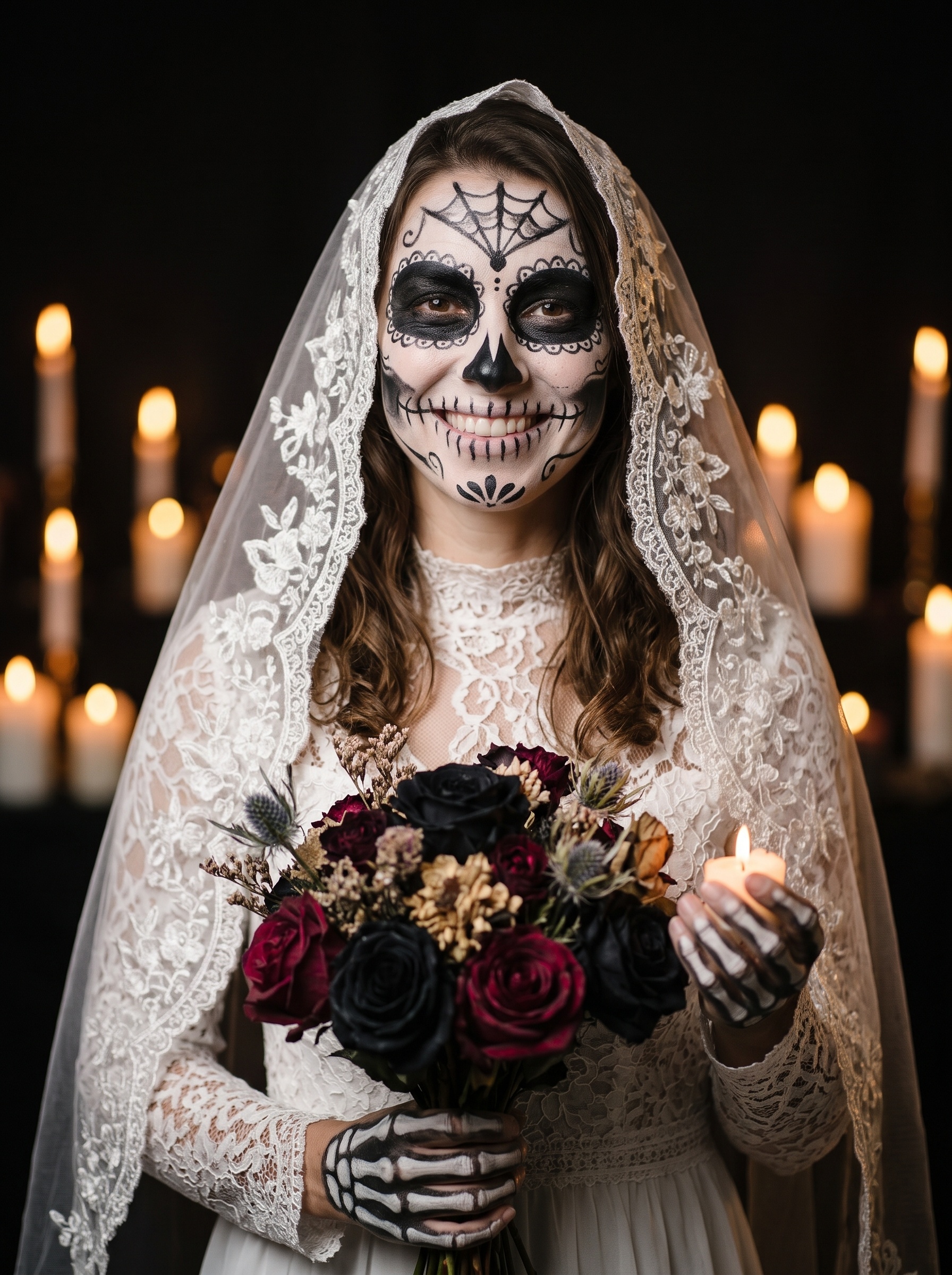
Dress her as a skeleton bride: white lace veil, sugar-skull face paint in black and white, bouquet of dark roses, candlelit background.
The strongest result of the set. The model added skeleton gloves without being asked.
Werewolf
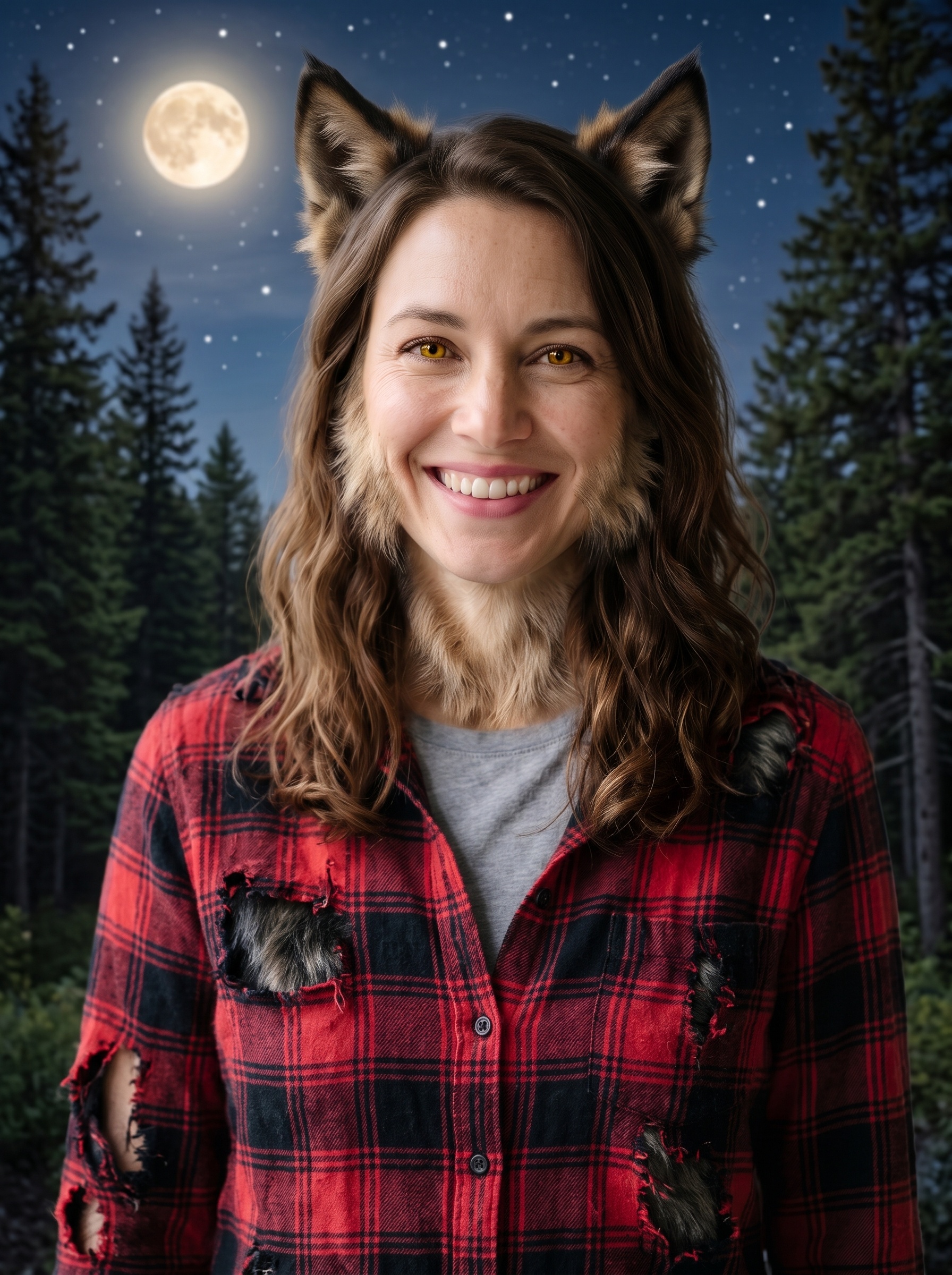
Turn her into a werewolf costume look: furry wolf ears, light fur on cheeks and jawline, amber eyes, torn flannel shirt, full moon over a forest background. Fun costume, not scary gore.
Pumpkin
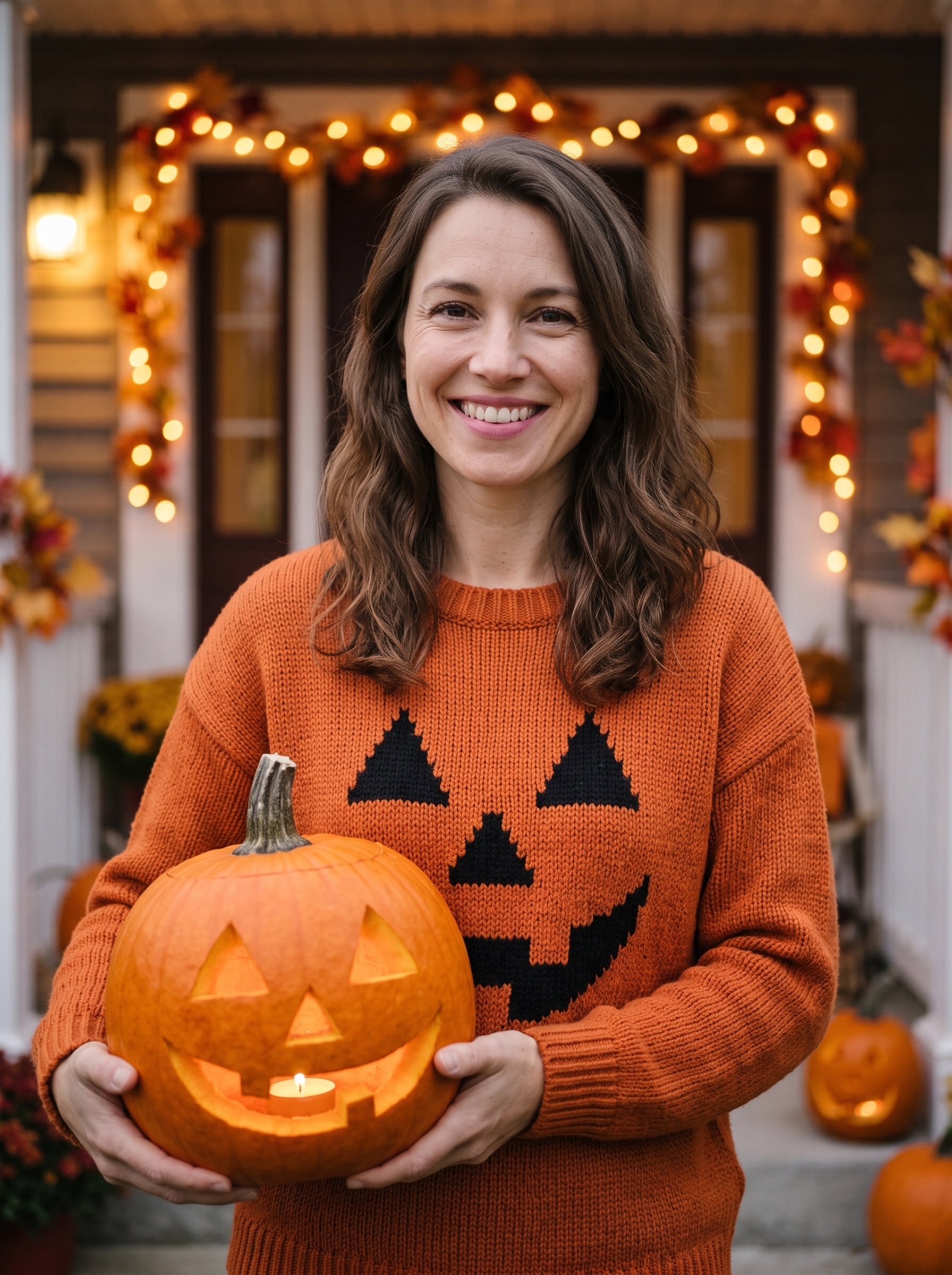
Dress her in a cozy pumpkin-head Halloween costume: orange knit sweater with a jack-o’-lantern face, carrying a carved pumpkin with a candle inside, warm porch with string lights background.
Works as inspiration for a costume you could put together in real life.
Can you use a real photo?
You can submit an adult photo you have permission to use, subject to upload and model checks. Our costume examples used an AI-generated portrait; we did not repeat these six edits with a real person’s photo.
- Use photos of adults. FunGen’s upload check turns away photos where the person may be a minor. In our testing, a portrait of a young-looking man was rejected at upload. Costumes for kids aren’t something we can make.
- Use your own photo, or one you have permission to use. Putting someone else’s face in a costume without asking isn’t something to post.
- Keep costumes non-explicit. We tested only the non-explicit costume prompts shown here. We did not test revealing or gory requests. None of the six prompts above was refused.
If an edit is refused and nothing is delivered, nothing is charged.
Tips for better results
- Ask for an expression. In our vampire and zombie tests, the first versions kept the smile from the original photo until we asked for a different expression.
- Name the scene. The background sells the costume more than the outfit does: candlelit hallway, misty forest, foggy street.
- Keep one person in the photo. With two people, the model may dress the wrong one.
- Go 4K for printing. 2K is plenty for social posts; 4K costs 5 credits per image.
Want it to move?
Pick your favorite costume and animate it with image-to-video: the same photo as the first frame, plus a short motion prompt like she slowly lifts the veil and smiles at the camera, candles flicker. For a spooky clip in the style of a doorbell camera, see our AI Halloween video guide.
FAQ
Is there a free AI Halloween costume generator? FunGen’s Generator works on the free plan, and eligible new accounts get 100 credits. Each 2K costume edit costs 3 credits, so six successful edits use 18.
Will it keep my face? In the six selected results, the AI-generated character remained recognizably similar to the reference. We included the identity-preservation instruction in every prompt, but did not test whether that line alone caused the consistency. Results with your photo may differ.
Which model should I pick? We used Nano Banana 2 for every image here and only tested that model. The other engines in FunGen’s Edit (reference) mode also take a reference photo, but how well they keep the face, and what they refuse, will differ.
How long does each one take? Each 2K edit came back in about 25 seconds in our run.