












How to Make a Photo Talk with AI (2026): Step-by-Step Guide
Short answer: upload a clear, front-facing photo to an AI lip sync tool, type the line you want it to say (or upload a recording), and generate. The model moves the mouth to match every word and adds blinking and small head movements. With FunGen’s AI Lip Sync a 10-second clip takes about 3–5 minutes.
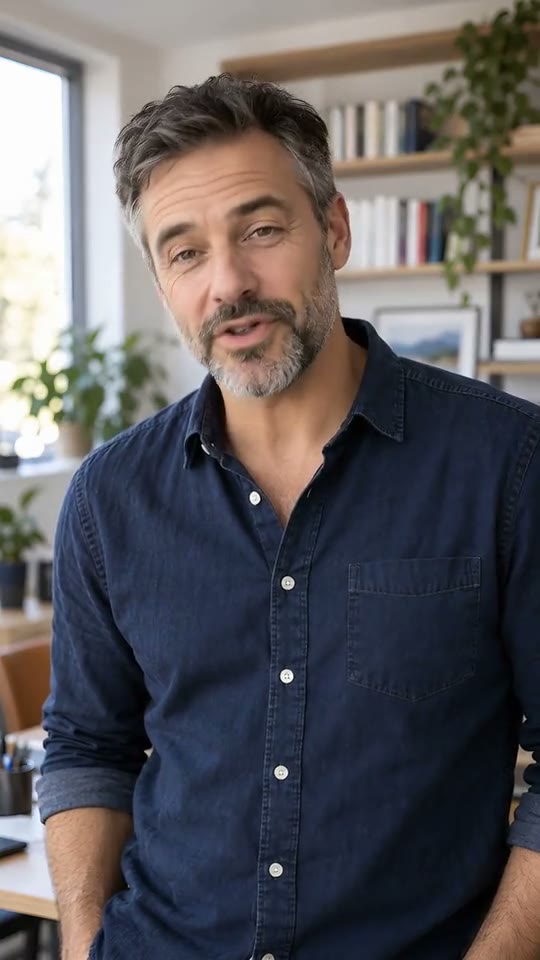
The tool does most of the work. What decides whether the result looks real or looks like a puppet is what you feed it: the photo, the script and the voice. This guide covers each one.
Step 1: Pick a photo that can talk
Lip sync models animate what they can see. A good input photo has:
- A visible mouth. No hands, microphones, masks or hair covering the lips.
- A face turned toward the camera. Straight on or slightly angled works best. Full profiles look stiff.
- Waist-up framing or closer. The face should take up a decent share of the image. In a wide group shot the mouth is too small to animate well.
- Even light. Strong shadows across the face make the mouth movement look patchy.
- At least 300 px on each side. Bigger is better; FunGen scales it down for you.
It doesn’t have to be a real photo. Illustrations, 3D characters, mascots and even pets work, as long as there’s a clear face and mouth.
Step 2: Write a line that syncs well
Short, natural sentences sync better than long, dense ones. A few rules:
- Write the way people talk. Contractions (“I’m”, “you’ll”) and short sentences give the model clear mouth shapes.
- Keep the first clip short. 5–15 seconds is the sweet spot for testing a photo. Once it looks right, go longer (FunGen accepts up to 60 seconds).
- Spell out numbers and acronyms the way they should be read (“twenty twenty-six”, not “2026”), so the voice and the lips agree.
- Add pauses with punctuation. A comma or full stop gives the face a moment to rest, which reads as more human.
Step 3: Choose the voice
You have two options:
- Type the line and pick a voice. FunGen generates the speech for you, with several male and female voices. This is the fastest way to start.
- Upload your own audio. Use an MP3, WAV or M4A up to 60 seconds. This is the way to go when you need a specific person’s voice, your own narration, or a line in a voice you already use on your channel.
If you upload audio, use a clean recording: one speaker, no background music. Music and other voices confuse the mouth movement.
Step 4: Generate and review
In AI Lip Sync, upload the photo, add the voice, choose 720p or 1080p Pro, and click Generate Video. The page shows the credit cost before you start: 11 credits per second at 720p and 21 at 1080p.
When the clip is ready, watch it once with the sound on and look at three things:
- Hard consonants like “p”, “b” and “m”. The lips should close on them.
- The first and last second. That’s where artifacts tend to show up.
- The eyes. Natural blinking matters as much as the mouth.
Fixing common problems
| Problem | Likely cause | Fix |
|---|---|---|
| Mouth barely moves | Face too small in the frame | Crop closer to the face |
| Teeth or lips look smeared | Low-resolution or blurry photo | Use a sharper photo or 1080p Pro |
| Face looks frozen | Very short or monotone line | Write a longer line with more emotion |
| Lips drift out of sync | Music or noise in uploaded audio | Use a clean voice-only recording |
| Weird expressions | Strong side lighting or a profile shot | Use an evenly lit, front-facing photo |
What people use talking photos for
- Faceless channels that want a consistent host without filming anyone. See how to make faceless videos with AI.
- Ads and product explainers with a mascot or spokesperson.
- Courses and onboarding where the same presenter appears in every lesson.
- Characters for short films that need to deliver dialogue.
- Greetings and memes made from a single photo.
A note on consent
Only animate photos you have the rights to, and don’t make real people say things they didn’t say without their permission. That covers most legal and platform problems before they start.
Try it
Open AI Lip Sync, upload a photo, type one sentence and see how it looks. It’s the quickest way to find out whether a photo will work before you write a full script.